
Add Email AddressUpdated 2 months ago
Want people to easily reach you by email? You can add your email address to One Good Card in two ways,
💡 Quick Answer:
Add your email under Primary Information for your main email or use the Email Widget for additional emails. Save, and your email becomes clickable on your card.
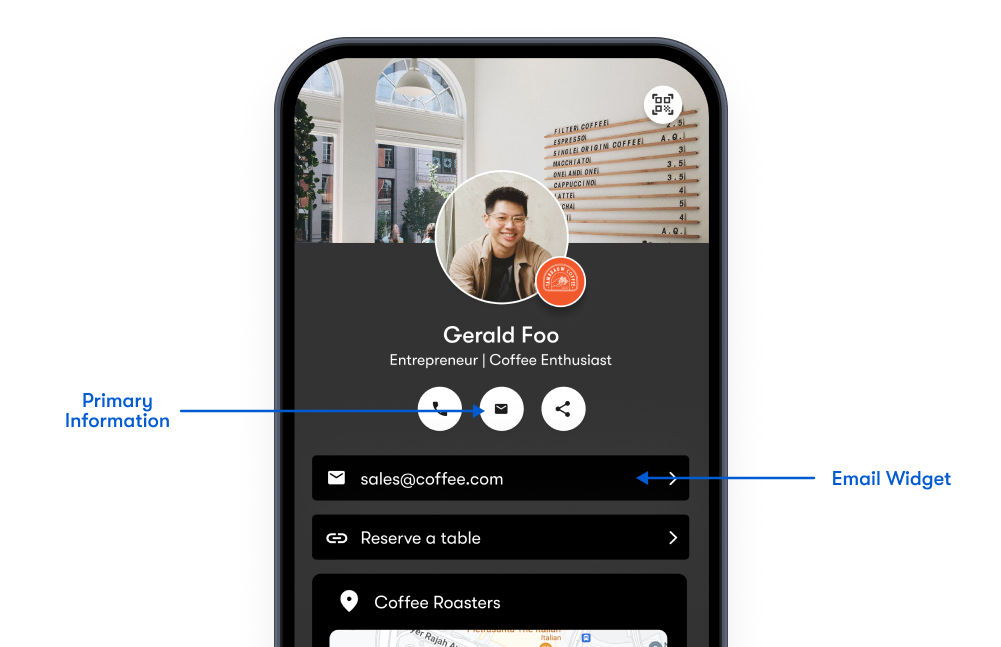
Option 1: Add Your Email Under Primary Information
This is perfect for your main business or personal email and is included in your saved contact file.
- Log in to your One Good Card account.
- Click the Pen Icon to edit your digital business card.
- In the Primary Information section, enter your email address.
- Click Save!
✨ Pro Tip:
Your email will appear as a clickable call icon and will be included automatically when someone saves your contact.
Option 2: Add an Email Using a Widget
Use this if you want to display multiple email addresses, such as support, sales, or team contacts.
- In the Profile Editor, click + Add Widget.
- Select the Email Widget from the widget catalogue.
- Enter your email address.
- Click Save!
✨ Pro Tip:
This widget will appear as a clickable email button, letting people email you directly.
Frequently Asked Questions
Can I include multiple email addresses?
Yes! Use the widget to add as many additional emails as you need, for different departments, roles, or use cases.
Will people be able to email me with one tap?
Yes — both the primary email and email widgets are tap-to-email on all devices.
Will my email be saved when someone saves my contact?
Yes — the email added in your digital business card is automatically included in the vCard file when a visitor saves your contact.