
Customise Profile LayoutUpdated 13 days ago
Your digital business card is often the first impression you make. With One Good Card, you can choose from four distinct profile layouts, each designed for a different professional style and use case. Whether you're a corporate professional, a creative, or a business owner, there's a layout built for you.
This guide walks you through each layout option and how to switch to the one that best represents you.
The 4 Profile Layouts
1. Classic
A clean, structured layout built for professionals who want a straightforward, no-fuss digital card. The Classic layout prioritises your contact details and key information in a familiar, easy-to-read format.
Best for: Corporate professionals, executives, and anyone who prefers a traditional business card look.

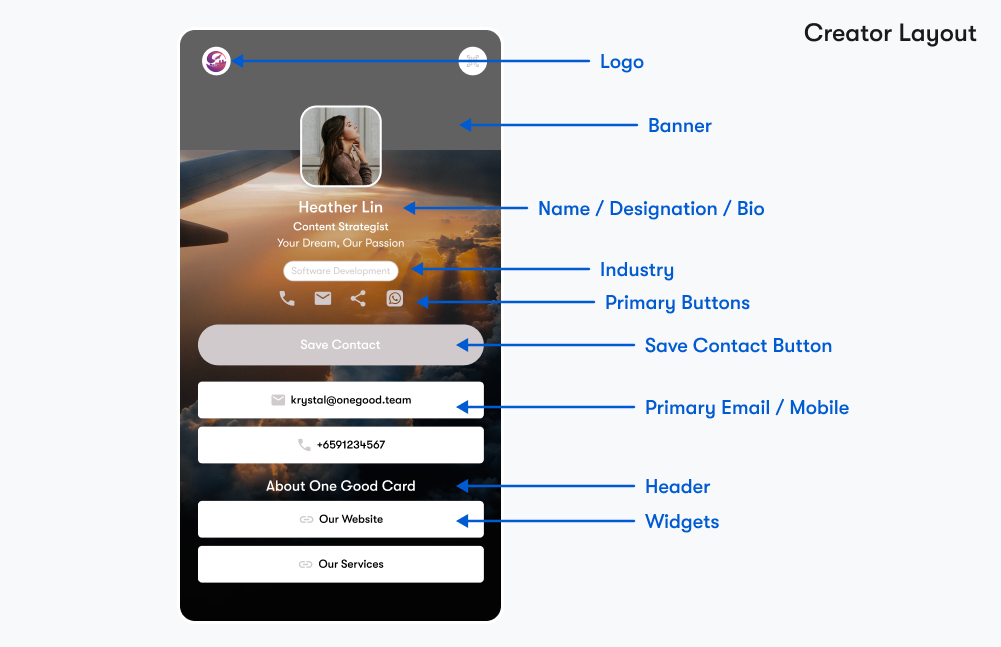
2. Creator
A visually expressive layout designed to showcase your work and personality. The Creator layout gives more prominence to images, links, and media, ideal for social media link in bio.
Best for: Freelancers, designers, content creators, and affiliates with a portfolio and a compilation of links to share.
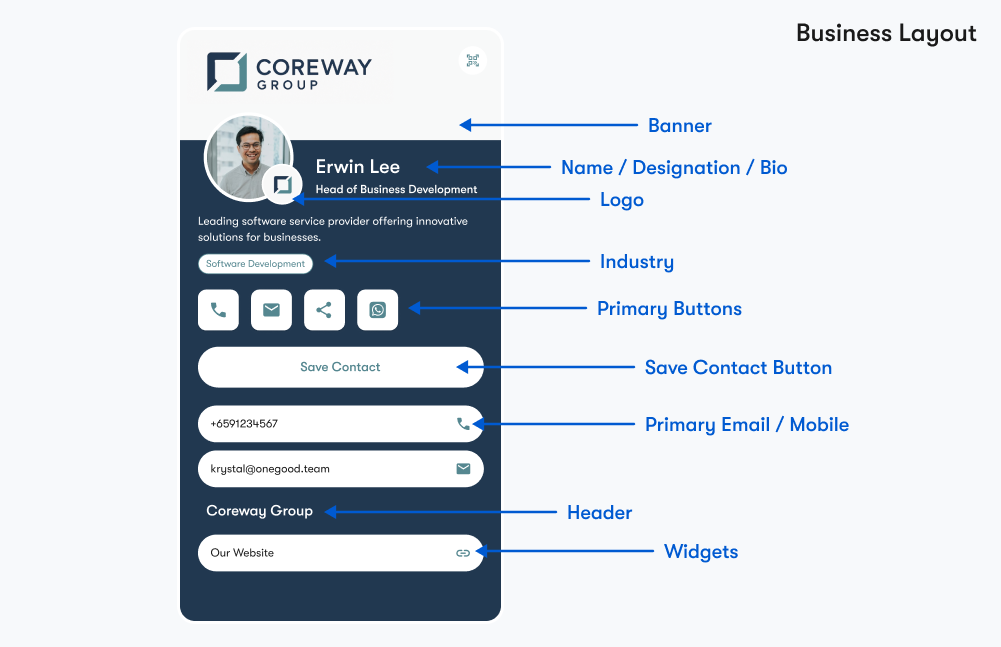
3. Business
A bold, brand-forward layout that puts your company identity front and centre. The Business layout is ideal for representatives who want their card to lead with the brand before the individual.
Best for: Sales professionals, business development teams, and company representatives.
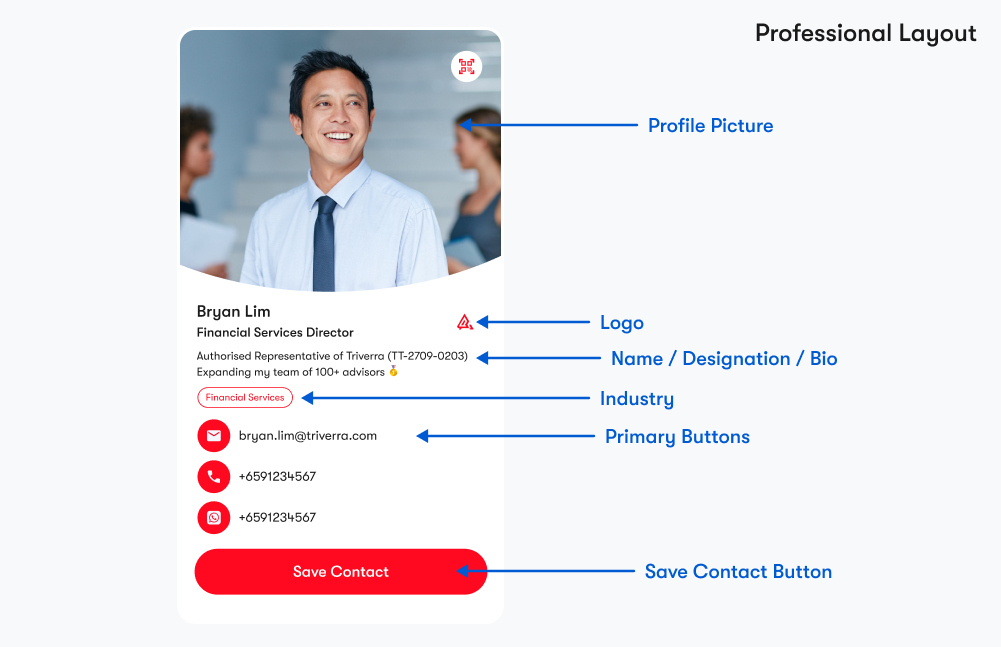
4. Professional
A polished, premium layout that balances personal identity with professional credibility. The Professional layout offers a refined structure suited to client-facing roles and senior professionals.
Best for: Consultants, senior managers, client-facing professionals, and service providers.
How to Change Your Profile Layout
- Log in to your One Good Card.
- Head to Cards and click Edit.
- Navigate to the Widgets tab, and click Choose Profile Layout
- Under Layout, select your preferred option — Classic, Creator, Business, or Professional.
- Click Apply and preview the changes on the right-hand side.
- Click Save to apply.
✨ Pro Tips:
- Not sure which layout to pick? Preview all four before committing — changes are instant and reversible.
- Use the Business or Professional layout for client-facing teams to maintain a consistent brand impression.
- Pair your layout choice with matching brand colours and a banner image for maximum visual impact.
Frequently Asked Questions
Q: Can I switch layouts at any time?
A: Yes. You can change your profile layout anytime from the Style tab in your profile editor. Your content and widgets will carry over; only the visual structure changes.
Q: Will switching layouts affect my existing widgets or content?
A: No. Your information, widgets, and contact details remain intact when you switch layouts. Only the visual presentation is updated.
Q: Are all layouts available on every plan?
A: All four layouts are available across One Good Card.
Q: Which layout works best for a team rollout?
A: It depends on your industry and brand style. Most corporate teams opt for the Business or Professional layout for a clean, consistent look.